In-Depth
When AI Meets Reality: Hard Real-World Lessons in Modern App Delivery
At today's online tech-educaton summit presented by Virtualization & Cloud Review, longtime author/presenter Brien Posey used his actual real-world buildout of three custom applications -- including two AI-enabled apps -- to illustrate what "app delivery" looks like beyond build pipelines and deployment mechanics. Rather than presenting a theoretical model, Posey framed the session around lessons learned while building, deploying, and operating the applications in his own environment.
The session, titled "Expert Takes: Modern App Delivery for a Hybrid AI World," is available for on-demand replay thanks to sponsor A10 Networks.
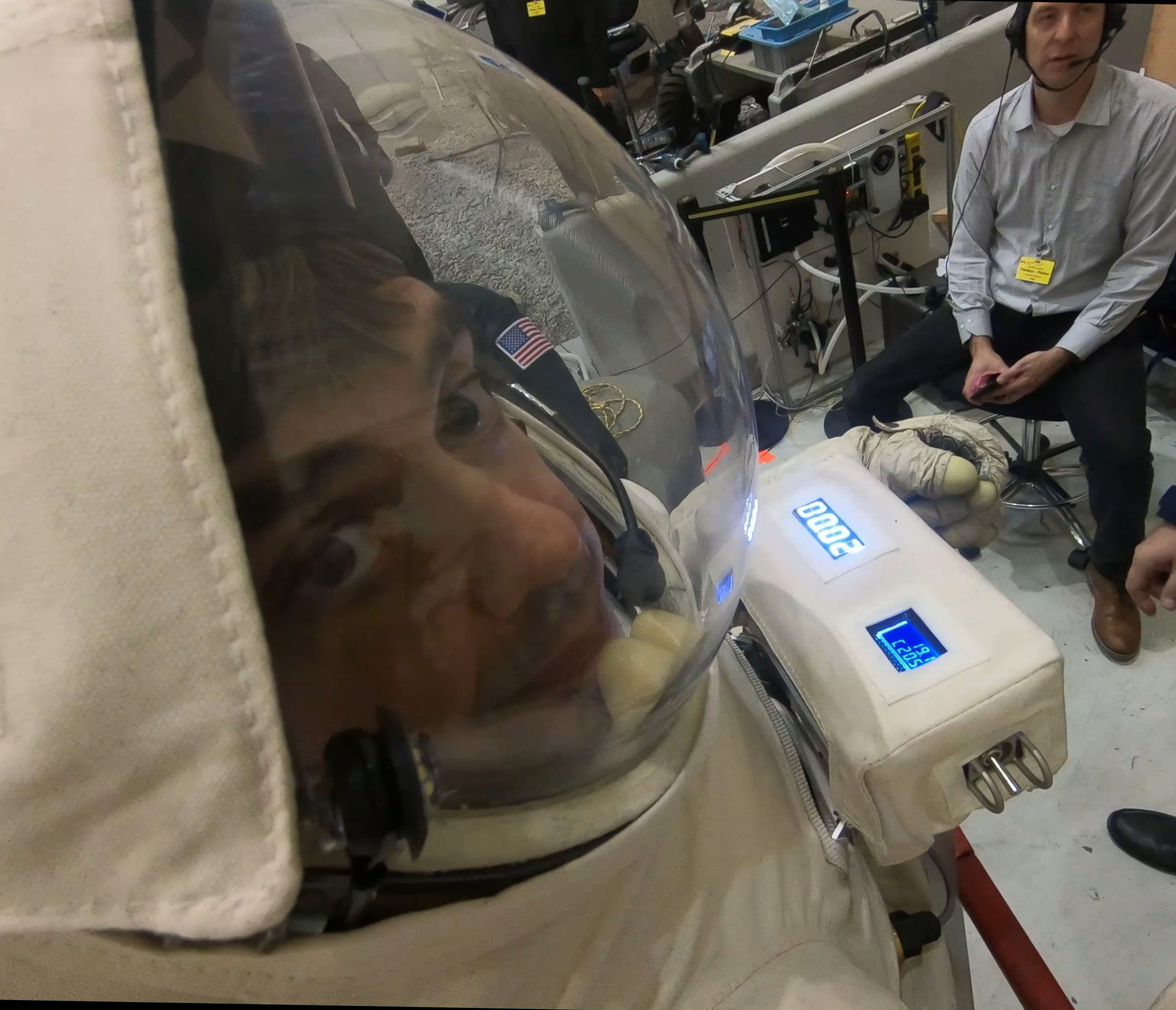 "So I guess the biggest lesson is just to expect that when it comes to building and deploying and hosting custom applications, everything takes longer than you expect."
Brien Posey, 22-time Microsoft MVP
The presentation was part of a broader "App Delivery in the Age of AI" summit examining how AI is changing the way applications are built, delivered, and scaled across hybrid environments. Sessions focused on modern delivery pipelines, performance and reliability considerations, and the practical implications of introducing AI-driven components into both new and existing applications, with an emphasis on approaches that allow teams to move faster without losing operational control.
GPU Reality Meets Hyper-V Constraints
Posey said that while application delivery spans everything from build to long-term maintenance, "careful planning and attention to detail. Those are non negotiable." For his AI-enabled applications, the planning pressure point was the GPU: the apps required hardware acceleration, which pushed him into decisions that affected not only performance, but also how -- and where -- the workloads could run.
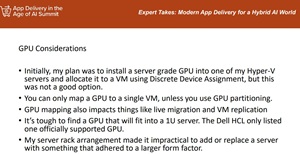 [Click on image for larger view.] GPU Considerations (source: Brien Posey).
His initial design was straightforward: install a GPU into a Hyper-V host, attach it to a VM using Discrete Device Assignment, and run the AI workload there. As he evaluated that plan, he ran into constraints that made the approach less practical for his scenario. One limitation was that "you can only map a GPU to a single virtual machine, unless you partition the GPU," and he noted that GPU partitioning can be a poor fit for AI workloads that benefit from full access to GPU resources.
He also described how binding a VM to a physical GPU affects operational flexibility in ways that are easy to overlook during initial planning. "If you bind the virtual machine, at least in Hyper V, to a physical GPU, you lose the ability to live migrate that application," he said, adding that replication and failover planning get more complicated if the target host does not have an equivalent GPU mapping in place.
Hardware reality compounded the design constraints. Posey explained that he was working with 1U servers and that "it's tough to find a GPU that will fit into a 1u server." Even when he could find a card that physically fit, power delivery and vendor support details became blockers, and his options narrowed further when he checked the server hardware compatibility guidance for supported GPUs.
Taken together, those constraints forced Posey to abandon the original assumption that "put a GPU in the host and pass it through" would be a clean solution for AI app delivery. In his case, the GPU decision became an application delivery decision, because it shaped the architecture, the operational model, and the set of platform capabilities he could realistically depend on.
Working Around GPU, Power, and Cooling Limits
With traditional server-based GPU options exhausted, Posey took an unconventional approach to keep the AI workloads viable. Rather than forcing the GPU into his existing server infrastructure, he moved the AI acceleration layer out of the rack entirely.
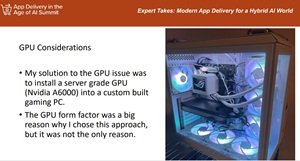 [Click on image for larger view.] GPU Considerations 2 (source: Brien Posey).
His solution was to install a server-grade Nvidia A6000 GPU into a custom-built PC, an approach driven largely by physical constraints. The larger chassis eliminated the form-factor limitations he encountered with 1U servers, while also providing more flexibility around power delivery and cooling.
Those factors mattered because Posey operates his infrastructure in a residential setting. "I am operating a server rack in a residential setting," he said, noting that he does not have datacenter-style cooling and is "pushing the limits of how much power I can use without tripping a breaker." Moving the GPU workload into a separate system allowed him to physically relocate heat and power draw away from the main rack.
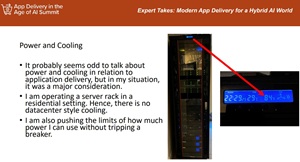 [Click on image for larger view.] Power and Cooling (source: Brien Posey).
While the gaming PC approach solved several immediate problems, Posey emphasized that it introduced new tradeoffs. Unlike server hardware, the system lacked redundant power supplies and error-correcting memory, making it a potential single point of failure. Operating system choice also became part of the delivery discussion.
Posey initially ran Windows 11 on the system to reduce costs but eventually migrated it to Linux. The AI applications themselves continued running on Windows, while the Linux system hosted the GPU-dependent components. "Those are the components that need direct GPU access, not the application itself," he said.
This split architecture allowed him to preserve the existing application design while accommodating the operational realities of AI workloads. It also highlighted how application delivery decisions can extend well beyond code and pipelines, pulling in hardware design, operating system selection, and environmental constraints that are often invisible in abstract delivery models.
Cross-Platform Access Forces a Rethink of Application Delivery
Shortly after stabilizing the AI infrastructure, Posey ran into another unplanned change: his environment was no longer Windows-only. While his custom applications were written for Windows, the growing presence of Linux and macOS systems forced him to reconsider how those applications would be accessed.
Since 1993, Posey said he had been using Windows exclusively, but changing circumstances led him to add Linux systems and a MacBook to his network. That shift required a decision about whether to keep the applications Windows-only or make them accessible across platforms.
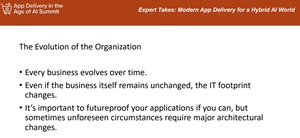 [Click on image for larger view.] The Evolution of the Organization (source: Brien Posey).
Posey walked through the options he evaluated for cross-platform delivery, starting with native rewrites. Refactoring the applications for multiple operating systems would have required maintaining parallel versions of the codebase, a level of effort he said was impractical. Refactoring the applications into web-based systems was more future-proof, but would have required taking mission-critical applications offline during redevelopment.
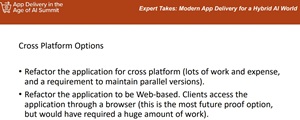 [Click on image for larger view.]Cross Platform Options (source: Brien Posey).
Other alternatives included compatibility layers such as Wine, virtualization approaches, and dual-boot configurations. Posey said compatibility was inconsistent with some options, while others introduced performance or licensing drawbacks that made them poor fits for day-to-day use.
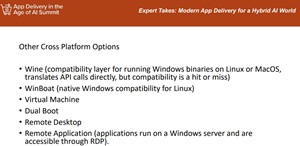 [Click on image for larger view.] Other Cross Platform Options (source: Brien Posey).
Ultimately, Posey settled on hosting the applications centrally using Windows Remote Desktop Services. By publishing the applications as RemoteApps, clients on Windows, Linux, and macOS could access them through RDP clients while the applications continued to run on Windows servers.
That decision, however, triggered additional downstream changes. Remote Desktop Services requires Active Directory, which forced Posey to deploy a production directory environment rather than relying on a minimal management domain. Database scalability also became an issue.
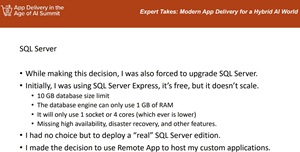 [Click on image for larger view.]SQL Server (source: Brien Posey).
Posey had originally built the applications around SQL Server Express, but its limitations became impossible to ignore as usage grew. "I had no choice but to deploy a real SQL Server edition," he said, noting that the change introduced new licensing and infrastructure requirements.
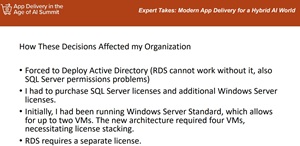 [Click on image for larger view.]How These Decisions Affected my Organization (source: Brien Posey).
Moving to Remote Desktop Services and a full SQL Server deployment also meant additional Windows Server licensing and license stacking to support the increased number of virtual machines. While the architecture ultimately worked, Posey said it cost more and took longer than anticipated.
The experience reinforced a broader lesson from the session: application delivery decisions rarely stay confined to code and pipelines. Choices made to address one problem -- whether GPU access, platform compatibility, or scalability -- can ripple outward into identity, licensing, and infrastructure in ways that only become clear once systems are in production.
And More
While replays are convenient and informative — especially for sessions that just concluded — attending live webcasts offers advantages, including the ability to ask specific implementation questions and receive guidance in real time (not to mention the chance to win great prizes, in this case a Nespresso Vertuoplus Deluxe Bundle thanks to sponsor A10 Networks). With that in mind, here are some upcoming online webcasts from Virtualization & Cloud Review:
About the Author
David Ramel is an editor and writer at Converge 360.