In-Depth
My VMware Explore 2026 Agenda: From Raspberry Pi to Private AI
VMware Explore has always been one of the events I look forward to each year, not just because of the announcements made from the stage or what I learn in the sessions, but more importantly, because of the people I chat with at the event. I have been attending VMworld and VMware Explore on and off for the past two decades, and while the name, emphasis, and even the ownership of the event have changed, that part has remained remarkably consistent.
 [Click on image for larger view.]
By way of background, VMware Explore 2026 will take place Aug. 31 through Sept. 3 at The Venetian in Las Vegas. VMware says this year's event will feature more than 350 technical sessions, hands-on labs, a large partner presence, and, of course, networking opportunities.
For various reasons, I didn't commit to going or start building my schedule until this week, three weeks before Explore starts, and many sessions are already full; I received the "Join the Wait List" message.
 [Click on image for larger view.]
At first, I was upset that I missed signing up for these popular sessions, but then it occurred to me that this will force me to broaden my perspective and branch out a bit. So, this year I am taking a somewhat different approach. Rather than trying to cover the popular sessions, I will spend my time on less popular sessions that line up with the things I am most interested in right now: VMware Cloud Foundation, private AI, storage, memory, Kubernetes, edge computing, and the practical problems administrators encounter when they actually have to deploy and operate these technologies. I deliberately included a couple of sessions that are outside my normal comfort zone.
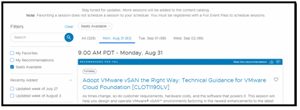
So, I set my filter to Seat Available for the content catalog and started to dig in.
 [Click on image for larger view.]
Below, in no particular order, is a summary of the sessions that I signed up for.
Who's Who: Top Virtualization Social Media Sites for Admins [CMTYQT1053LV] - David Frankfort
VMware Explore session CMTYQT1053LV
This one might look a little unusual sitting alongside sessions about GPUs, Kubernetes, and memory tiering, but I consider it important. One of the things I have learned during my years covering VMware is that the official documentation is only part of the information ecosystem. Some of the best troubleshooting information, practical advice, and explanations of new features have traditionally come from the VMware community.
I have written about this many times over the years. In my coverage of VMware Explore 2022, I talked about how the VMware Technical Network and the broader community remained valuable sources of information, particularly for people working on unusual or advanced projects. I have also written about the community aspect of Explore because, for me, the conversations in the hallway can sometimes be more useful than the formal presentations.
That is why I am going to attend this session. I want to see which sites, communities, and social media resources about VMware are the most useful for today's administrators. The way administrators consume technical information has changed dramatically since the early VMworld days, and I am curious to see which have survived that transition.
VMware {code} Lab: From Raspberry Pi Sensors to Edge Workloads with VMware vSphere Kubernetes Service [CODE1878LV] - Eric Nielsen and James Warmkessel
VMware Explore session CODE1878LV
There was almost no way I was going to VMware Explore and not spend some time with a Raspberry Pi. I have written extensively about running VMware software on Raspberry Pi systems and even wrote a book on it! This includes my experiments with ESXi on Raspberry Pi 4 and my more recent work with Raspberry Pi 5. In fact, Raspberry Pi has become one of my favorite inexpensive platforms for demonstrating what virtualization can and cannot do at the edge using low-cost ARM devices like the Raspberry Pi.
What makes this session especially interesting to me is that it moves the discussion beyond simply putting a hypervisor on a small computer. The VMware Communities Roundtable recently discussed this very lab and described using a Raspberry Pi 5 with sensors and deploying workloads to the Pi through VMware vSphere Kubernetes Service. That turns the Pi from an interesting virtualization experiment into an actual edge workload platform. That is a significant distinction. The question is not whether a Raspberry Pi can run a virtual machine. I already know it can. The more interesting question is how an enterprise platform can manage workloads that eventually have to run on inexpensive, distributed edge hardware. I am looking forward to seeing how the sensors, Kubernetes workload, and vSphere infrastructure fit together and what compromises have to be made to make such a system practical.
VMware Salt: Automating Workload Configuration and Compliance [CLOB1073LV] - Vincent Riccio, Hamid Mahmood and Steven Ireland
VMware Explore session CLOB1073LV
Configuration management is one of those subjects that is easy to underestimate. It is also one of those subjects where an environment can slowly become impossible to manage if configuration drift is allowed to accumulate. VMware Salt is particularly interesting because VMware is positioning it as part of its broader security and compliance strategy rather than simply as another configuration management tool.
VMware has described Salt as part of the VMware Advanced Cyber Compliance offering, with the ability to automate configuration and compliance across private cloud workloads. The important part for me is the move from periodic checking toward continuous enforcement and remediation.
I have spent enough time around large VMware environments to know that manually maintaining configuration standards does not scale particularly well. It is one thing to document the desired configuration of a handful of hosts. It is another thing to make sure thousands of workloads continue to conform to that configuration after administrators, applications, and automated processes have all had their turn at changing things.
I am a little confused about and particularly interested in where VMware draws the line between Salt, VCF Automation, and the other management and compliance capabilities now being incorporated into VCF. The more of the platform VMware can manage through policy and automation, the more important it becomes to understand which tool should be used for which job.
Optimizing AI from Model Requirements to GPU Consumption on VMware Cloud Foundation 9.1 [INVT1225LV] - Frank Denneman and Shawn Kelly
VMware Explore session INVT1225LV
AI infrastructure is probably the subject that is of most interest at this year's Explore, but I am not particularly interested in another session telling me that GPUs are important. We all know that. What I want to understand is how administrators determine how much GPU capacity a particular AI workload actually needs and how that translates into infrastructure consumption.
That is why this session caught my attention. The title starts with model requirements and ends with GPU consumption, which suggests it looks at the problem from the workload side rather than simply starting with a server full of GPUs. That is an important distinction. AI infrastructure can become extremely expensive very quickly, and buying hardware based on theoretical maximum requirements is not a particularly good way to build an efficient private AI environment.
VMware Cloud Foundation 9.1 is increasingly being positioned as a platform for AI workloads as well as traditional virtual machines and Kubernetes applications. VMware has also been adding capabilities around GPU workloads, workload placement, and infrastructure efficiency.
I hope to come away from this session with a better understanding of the relationship between model characteristics, inference requirements, GPU resources, and the virtualization layer. If the session can help answer the question of how much GPU is actually enough for a given workload, it will be time well spent.
Running VMware vSphere Kubernetes Service: Enterprise Kubernetes Without Full VMware Cloud Foundation [CLOB1217LV] - Jeremy Wolf and Jad El-Zein
VMware Explore session CLOB1217LV
I am particularly interested in this session because the title addresses a question I expect to hear frequently at Explore. VMware has spent considerable effort turning VCF into a unified private cloud platform, but not every organization needs every component of that platform for every deployment. Understanding where VKS fits when an organization does not want or need the entire VCF stack is therefore important.
VMware has continued to expand VKS throughout 2026. VKS 3.7 adds improvements around security, scale, and add-ons, while VCF 9.1 supports as many as 500 Kubernetes clusters per control plane. VMware also emphasizes the ability to manage Kubernetes alongside traditional virtual machines using a common infrastructure platform.
I am interested in the practical details here. What infrastructure is required? What functionality is lost without the complete VCF stack? Where does VKS make sense as a standalone choice, and where does the complete VCF platform provide enough additional value to justify itself? Those are questions I suspect a lot of customers are asking.
I hope that session will fit in nicely with the Raspberry Pi edge lab earlier in my schedule. One of the things I want to understand at Explore is whether Kubernetes can become a consistent workload platform from the data center all the way out to relatively small edge systems.
Memory Economics in the AI Era: NVMe Memory Tiering on Lenovo Platforms [CLOB1829LVS] - Lenovo
VMware Explore session CLOB1829LVS
This is probably the session I am most personally invested in because I recently wrote about the dramatic increase in DRAM prices and how AI demand has changed the economics of server memory. In that article, I looked at how vSphere 9 Memory Tiering can combine DRAM with enterprise NVMe to increase usable memory capacity without simply continuing to buy increasingly expensive DRAM.
What makes this session especially useful is the Lenovo platform angle. Lenovo has published detailed technical guidance on implementing Memory Tiering over NVMe with VMware ESXi 9.0 on ThinkSystem servers. That makes this less of a theoretical discussion and more of a chance to look at what that technology looks like on a production server platform.
I want to pay particular attention to the performance implications. The economic argument for memory tiering is compelling, but memory is not storage, and storage is not memory. There is always a latency penalty when pages move out of DRAM and into NVMe. The real engineering question is therefore how intelligently vSphere can identify cold pages and whether the savings justify the performance tradeoff for a particular workload.
In the article that I wrote, I said that a 1 TB DRAM configuration could potentially be replaced by a configuration using 512 GB of DRAM and 512 GB of NVMe memory tiering, with VMware showing a substantial reduction in server acquisition cost. I also noted that those numbers need to be validated against individual workloads and hardware configurations. This session should allow me to dig much deeper into those assumptions.
Unlocking Performance with Next Gen Topology Aware CPU Scheduler in VMware Cloud Foundation [CLOB1112LV] - Haoqiang Zheng, Qasim Ali, and Rupesh Shimkhada
VMware Explore session CLOB1112LV
CPU scheduling has never been the most glamorous VMware subject, but it is one of the areas where relatively small architectural changes can have a large effect on real workloads. As CPU core counts continue to increase, NUMA topology becomes increasingly important, particularly for large virtual machines and workloads that consume substantial amounts of CPU and memory.
I was glad to see that VMware has been making topology-aware scheduling a significant part of VCF 9.1. The company describes the feature as using chip-aware logic to improve NUMA placement for high-density processors. That is particularly relevant now that server processors have very large core counts and increasingly complex internal topologies.
This is another session where I want to see more than the marketing description. I want to understand what happens to a VM when it crosses the boundaries of a processor's topology, how vSphere determines where to place its vCPUs and memory, and what happens when the workload changes over time.
Four Production Ready Storage Capabilities Every VMware Cloud Foundation Admin Needs to Know [CLOB1085LV] - Duncan Epping and Pete Koehler
VMware Explore session CLOB1085LV
Storage is another area where I tend to gravitate toward the technical sessions. I have spent much of my career working with storage and virtualization, and I continue to think that understanding what is actually happening underneath a virtual machine is essential when troubleshooting performance and designing infrastructure.
This session caught my attention for a couple of different reasons. First, it was still open for enrollment, and Duncan's sessions usually fill up fast, so I suspect I caught a window where they increased enrollment. Second, the title is aimed directly at administrators rather than architects looking for a broad product overview. The phrase "production-ready" is particularly interesting to me. I want to know which storage capabilities VMware considers mature enough to deploy today, how they should be configured, and what mistakes administrators are likely to make.
I am especially interested in how this session relates to the continuing evolution of vSAN in VCF 9.1. VMware has been adding data reduction, native object storage, and new protection capabilities, so there is considerably more to storage in VCF today than simply presenting a datastore to a virtual machine.
What Makes Ubuntu Different from Other Linux Distributions [CLOB1867LVS] - Canonical
VMware Explore session CLOB1867LVS
I included this session for a fairly simple reason. I spend a lot of time working with VMware, but the operating system running inside the virtual machine still matters. Ubuntu has become increasingly important in enterprise infrastructure, Kubernetes, and AI environments, and VMware has been expanding its support for Ubuntu as part of its broader strategy.
VMware Cloud Foundation 9.1 specifically calls out enterprise support for Ubuntu OS images, and VKS supports Ubuntu alongside Photon and other supported operating systems.
I am interested in what the presenter considers the real differences between Ubuntu and other Linux distributions when it comes to VCF. There is an obvious tendency to reduce discussion to package managers and desktop environments, but enterprise differences can be much more significant. Release cadence, support, security updates, hardware compatibility, management tools, and the surrounding ecosystem all matter when an operating system is going to be deployed across hundreds or thousands of virtual machines.
This also fits with the direction VMware is taking with Kubernetes. VKS 3.6 and later releases support different operating systems in cluster node pools, giving organizations more flexibility when existing enterprise standards dictate which Linux distributions they can use.
Why These Are the Sessions I Want to Attend
Looking at the sessions in the aggregate, I think they tell an interesting story about where VMware is today. A few years ago, I would have built an Explore schedule almost entirely around vSphere, vSAN, networking, and virtualization. Those technologies are still here, but the context has changed. Now I am looking at the interaction between virtualization, Kubernetes, AI, GPUs, memory economics, and increasingly sophisticated hardware.
That is one reason the memory tiering session is particularly important to me. The AI boom is creating an infrastructure problem that is not limited to GPUs. Memory, storage, networking, power, and cooling are all becoming part of the AI infrastructure equation. VMware's Memory Tiering technology is an interesting response because it tries to solve an economic problem without requiring administrators to buy more expensive DRAM. VMware says its 9.1 implementation can provide significant reductions in infrastructure cost while maintaining VM density. However, as always, I want to see the numbers and understand the workload assumptions behind them.
The same thing applies to the CPU scheduling and storage sessions. Modern servers are becoming increasingly complicated, and simply adding more cores is not enough. NUMA topology, memory placement, storage efficiency, and workload behavior all affect how much useful work an organization gets from its hardware. That is the sort of material I find most valuable at Explore because it can translate directly into better infrastructure decisions.
The Kubernetes sessions also represent an important change. Kubernetes is no longer something that lives in a completely separate world from virtualization. VMware is clearly trying to make VKS part of the same operational model as virtual machines, and VCF 9.1 continues that trend.
I Still Want Time Between the Sessions
One thing I have learned after attending more VMworld and Explore events than I can easily count is that I should not schedule every minute of every day with sessions. I have made that mistake before. It is tempting when looking at the catalog because there are always more sessions than there is time to attend.
My 2025 coverage of Explore reinforced that for me. I wrote about how some of the best parts of Explore were the conversations I had with other attendees from the United States, Europe, the United Kingdom, and New Zealand. I also wrote that recorded sessions are useful, but they are not always a substitute for being in the room.
That is still how I feel about Explore 2026. I want to attend these sessions, but I also want to spend time in the Solutions Exchange, the community areas, and the hallways talking to people who are actually working with these technologies. I want to hear what is working, what is not working, and what administrators are worried about when they go back to work.
That has always been one of the most valuable parts of VMware's annual conference for me.
Looking Ahead to Las Vegas
VMware Explore 2026 is going to be different from the VMworld events I attended years ago, and it is different even from the first VMware Explore event I attended in 2022. VMware Explore replaced the VMworld name in 2022, when the event returned to an in-person format after two years of virtual conferences.
But the basic reason I keep going has not changed. I want to see what VMware is doing, I want to get hands-on with the technology, and I want to talk with the people who actually use it.
My previous Explore coverage included my first impressions, session reviews, and discussions about where VMware was heading; I plan to continue on that track this year. I have also written about the historical significance of VMworld and Explore, including the events that helped shape VMware's direction over the years.
This year I am going to Las Vegas with a particularly broad set of questions. How practical is private AI on VCF 9.1? Can memory tiering really change the economics of enterprise servers? How much difference does topology-aware scheduling make on modern processors? Where does VKS make sense without the complete VCF stack? What does the future of enterprise storage look like inside VCF? And what happens when we push VMware infrastructure all the way out to a Raspberry Pi at the edge?
Those are the questions I hope these sessions will help answer.
And, of course, I will be taking notes. If you see me walking around The Venetian with a laptop, taking photos with my phone, come say hello. Some of the best VMware Explore stories I have written started with a conversation that was never on my original schedule.
VMware Explore 2026 runs Aug. 31 through Sept. 3 at The Venetian in Las Vegas.
About the Author
Tom Fenton has a wealth of hands-on IT experience gained over the past 30 years in a variety of technologies, with the past 20 years focusing on virtualization and storage. He previously worked as a Technical Marketing Manager for ControlUp. He also previously worked at VMware in Staff and Senior level positions. He has also worked as a Senior Validation Engineer with The Taneja Group, where he headed the Validation Service Lab and was instrumental in starting up its vSphere Virtual Volumes practice. He's on X @vDoppler.